Home
About
Web Calculators
Financial Planning
Retirement Planning
Investment Planning
Mortgage and Debt
Insurance
Tax
Estate Planning
Education Planning
Historical Perspective
FreshPlan
FreshPlan Order Form
FreshPlan Free Trial
Support
Testimonials
Infographics
Contact
Ativa Interactive Corp.
>
Discover
>
Help
>
How to Clear Cache in Chrome
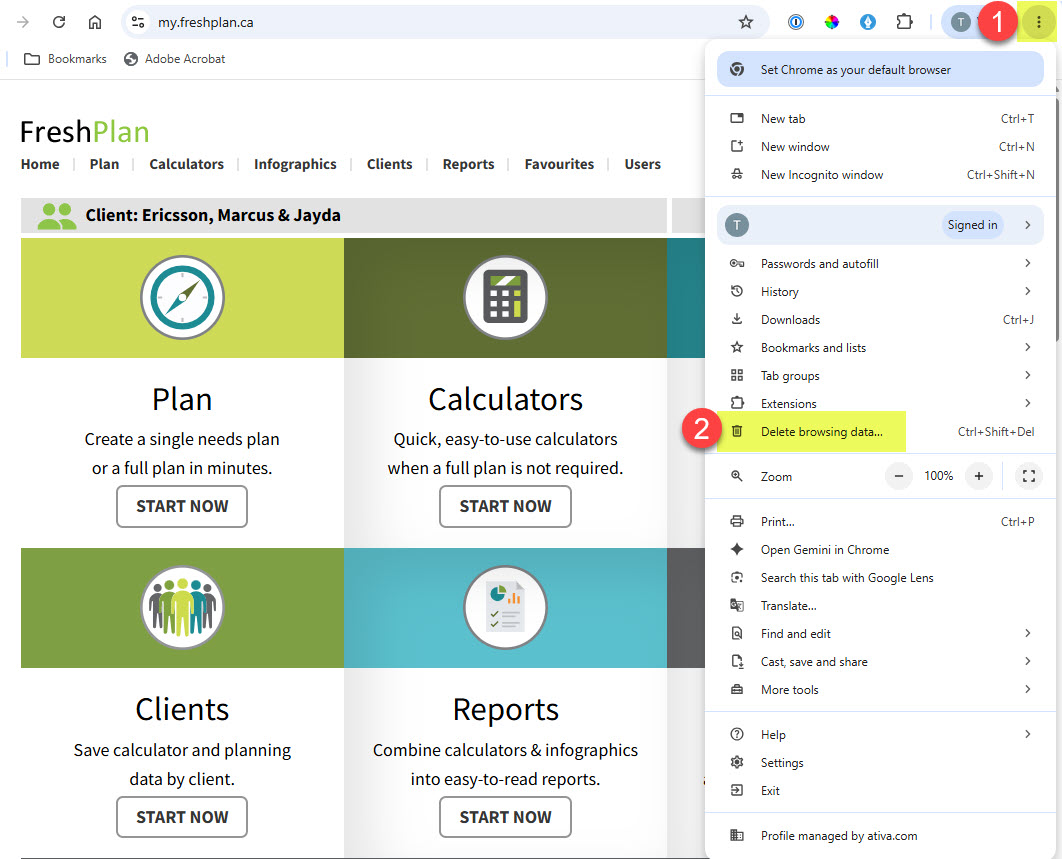
Click on the
three dots
in the top right hand corner of Chrome.
Select
More tools
Select
Clear browsing data
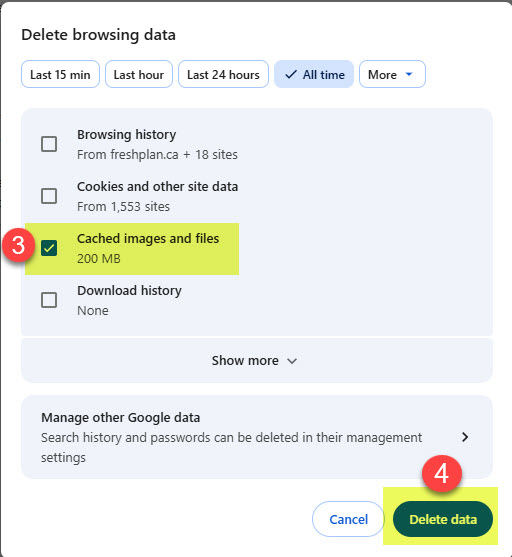
Check the
Cached images and files
box
Click
Clear data
Related:
How to Clear your Cache in Edge